


Key Highlights
- A structured development process for an app development involves identifying the problem, defining the target audience, building a minimum viable product (MVP), designing wireframes, and then developing, testing, launching, and maintaining the web application.
- Understand how frontend technologies like HTML,CSS, JavaScript, and React work.
- Understand how backend frameworks and databases such as Node.js, Laravel, and PostgreSQL to create functional web applications.
- PWAs offer app-like experiences through browsers, including offline access and home-screen installation, making them a useful option for improving mobile user experience.
- Web app development costs can range from approximately $10,000 for a basic MVP to $500,000 or more for complex applications.
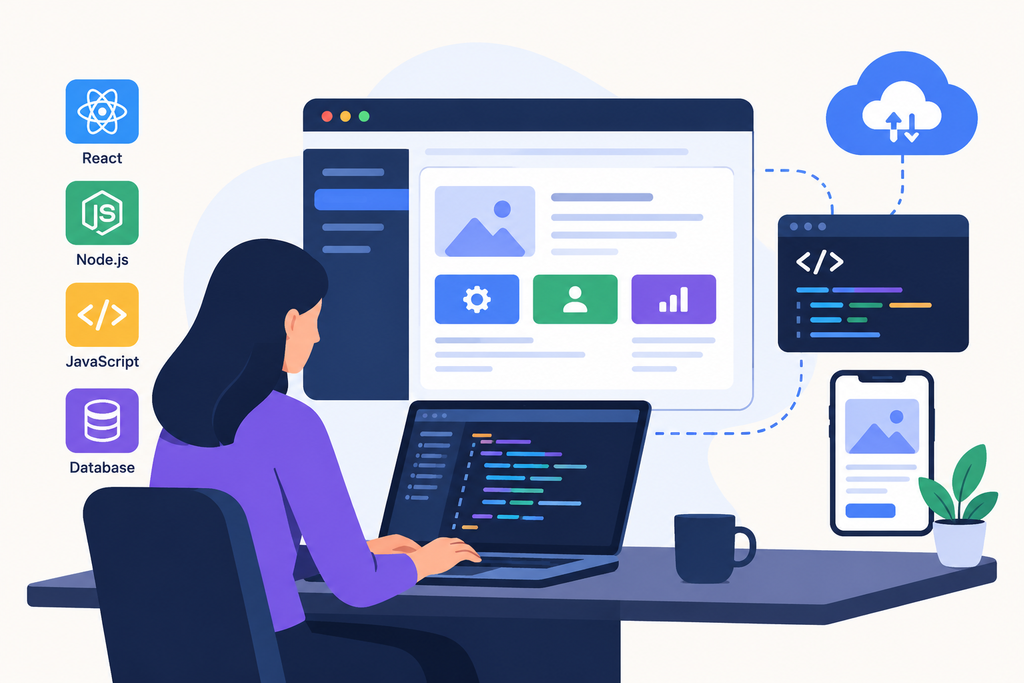
So you want to know how to develop a web app. Here’s the quick version. Work out the one problem it solves, build a small first release, design the screens before anyone writes code, then build, test, launch, and keep tweaking. On price, think roughly ten thousand dollars for a simple MVP, and up to half a million or more for something big.
That’s really the whole story. Everything below is the detail that saves you from learning it the hard way.
What Web App Development Actually Means
A website mostly shows stuff. A web app lets people do stuff. Log in, book a slot, pay an invoice, upload a file, work with a team. Trello is a web app. So is your bank’s online portal. It runs in the browser.
Web app development is the software planning, designing, and building that can run in the browser. It has three layers.
- What users see?
- What’s the server logic behind the scenes?
- And the database that holds everything.
The Web Application Development Process, Step by Step
There’s no single “correct” web application development process. Still, most projects that go well end up following the same path.
Start with the problem, not the tech
Before frameworks, write down who the app is for and what problem it fixes. One sentence. If you can’t say it plainly, the scope is already drifting. We’ve watched teams burn three months on features before anyone could explain who’d use them.
Shrink the first version
Build an MVP (minimum viable product). Write down every feature you dream of, then cut the list until only the stuff that proves the idea is left. The rest goes on a “later” pile. Honestly, this one habit saves more money than any clever technical trick.
Design first, code second
Sketch the flows. Wireframe the screens. Click through a prototype in something like Figma and let a few real people poke at it. Changing a drawing costs almost nothing. Changing finished code costs plenty.
Build the frontend and backend
This is the long stretch. Most teams work in short sprints and ship small pieces, so you see progress every couple of weeks instead of waiting months for one big reveal. We’ll get into how the two halves fit together in a minute.
Test like a skeptic
Click everything. Break things on purpose. Try it on a cheap phone with bad signal. Anything touching logins, payments, or personal data deserves a second look, then a third.
Launch it properly
Move the app onto real hosting, usually AWS, Azure, or Google Cloud. Automated deployment pipelines make this far less scary, because releases turn into small, routine events instead of a big nerve-wracking night.
Keep going after launch
A web app is never really done. Browsers update, libraries age, users ask for things you hadn’t thought of. One 2026 cost guide says yearly maintenance tends to run about 15 to 20 percent of the original build cost. That’s from WebAlive.
Frontend and Backend Development: How the Two Fit Together
Frontend developers work in HTML, CSS, and JavaScript, usually through a framework, and React sits at the front of the pack. A Pagepro summary of the 2025 Stack Overflow survey says React use grew from 39% to 44%, while Next.js climbed from 17% to 20%. You can read it at Pagepro. Other coverage of that survey shows JavaScript as the top language at 66%, and Node.js as the most used web technology at about 49%. Details at Enstacked. pageproenstacked
The backend deals with business logic, security, and links to other systems. Node.js, Laravel, Ruby on Rails, and ASP.NET are common picks. For the database, PostgreSQL is tough to ignore. According to Vonng’s breakdown, 55.6% of developers used it in 2025, and 58.2% of professionals. vonng
Progressive Web App Development: Is a PWA Worth It?
A progressive web app, or PWA, is a web app that feels a lot like a native mobile app. People can add it to their home screen, use it offline, and get push notifications, all without going through an app store.
A 2026 roundup from MobiLoud notes that Alibaba saw conversion rates jump 76% after launching its PWA, and Starbucks reported doubling its daily active web users. See MobiLoud. Two cautions, though. Those numbers are company-reported and come from earlier launches. And the same article is upfront that PWAs are a great way to improve mobile UX but aren’t a true substitute for a real mobile app. mobiloudmobiloud
My take? If you need deep device features, native may suit you better. And if you start shopping for a progressive web app development company, ask to see live PWAs they’ve shipped and how they handle offline behavior.
How Much Does It Cost to Develop a Web App?
Everyone asks, and the honest answer is “it depends.” Here’s what recent estimates say, with the usual warning that every vendor prices differently.
One 2026 guide puts simple MVPs at $10,000 to $50,000, medium platforms at $50,000 to $150,000, and complex enterprise systems at $150,000 to $500,000 or more. SaM Solutions lands higher, at $20,000 to $70,000 for simple apps, $80,000 to $180,000 for medium ones, and $200,000 to $500,000 or more for complex builds.
Why Speed and Security Deserve Real Budget
Two things quietly sink web apps: slow pages and weak security.
On speed, Portent’s 2022 analysis found that e-commerce sites loading in about a second converted at roughly 3.05%, compared with 0.67% for sites that took four seconds. You can find that on DesignRush. Mobile is where it stings. A 2026 roundup says the average page loads in about 2.5 seconds on desktop but 8.6 seconds on mobile. That’s from WP Rocket. So test on the slow phone, not your speedy laptop. designrushwp-rocket
Security is the other half. IBM’s 2025 report found that the average breach cost U.S. organizations a record $10.22 million, while the global average dropped to $4.44 million. Read the coverage at CyberScoop. A summary of the same research adds that a DevSecOps approach brought average costs down to $3.89 million, versus $5.02 million for limited adoption. That’s at Bright Defense.
Choosing a Web App Development Company
Maybe you won’t build this in-house, and that’s fair. A good web app development company can save you months. A bad one can eat your budget fast.
- Judge them on what they’ve actually shipped, not on promises.
- Ask who will really write your code and whether you’ll talk to those people directly.
- Find out how they handle changes midway through, because changes always show up.
- Check whether design, development, testing, and hosting live under one roof, since juggling several vendors gets messy quickly.
- Ask what support looks like after launch.
- And get references you can actually call.
Custom web app development services usually come in two flavors too. Project-based work suits a clearly defined scope. Hourly or dedicated-developer setups suit products that keep evolving. Decide which one you need before you start talking numbers.
How Tambena Consulting Can Help
If you’d rather work with a team than piece one together, Tambena Consulting provides full-cycle software and web development. According to its website, it has more than 200 in-house developers and takes on both hourly and project-based work.
Several of its services map neatly onto the steps above. Building from scratch? Look at their custom web development services. Want a sharper interface? There are front end development services too. If your project sits on a content platform, they also offer WordPress development.
For the less glamorous but critical parts, they cover DevOps consulting and DevSecOps services for smoother releases and tighter security. Planning for data growth? Their database consulting services fit there. And if you want a companion mobile app, they build for Android and iOS.
To share your idea and get a quote, use their contact page. If a PWA is on your wishlist, mention it on that very first call.
Final Thoughts
Building a web app isn’t magic. It’s a string of decisions made in a sensible order. Know the problem, shrink the scope, design first, build in small pieces, test hard, and plan for life after launch.
Do that, and whether you hire a team or build in-house, you’ll dodge most of the mistakes that wreck budgets.
FAQs
How to develop a web app?
Define the problem, scope an MVP, design the screens, build the frontend and backend, test, deploy, and keep improving it. Skipping the early planning is the most common mistake.
How long does web app development take?
A simple app often takes one to three months. Medium projects run three to six. Complex platforms can stretch well past a year. A clear scope shortens all of them.
How much does it cost to develop a web app?
Estimates range from about $10,000 for a basic MVP to $500,000 or more for enterprise builds, depending on features, team, and region. Budget extra for yearly maintenance.
What’s the difference between a web app and a website?
A website mostly presents information. A web app lets users take actions, like logging in, paying, or managing data.
Is a PWA better than a native app?
Not always. A PWA costs less and reaches more people from one codebase. A native app can use deeper device features. Choose based on your goals.
Which tech stack should I choose?
The one your team knows and can support long term. React with Node.js and PostgreSQL is popular and well documented, but plenty of other combinations work fine.